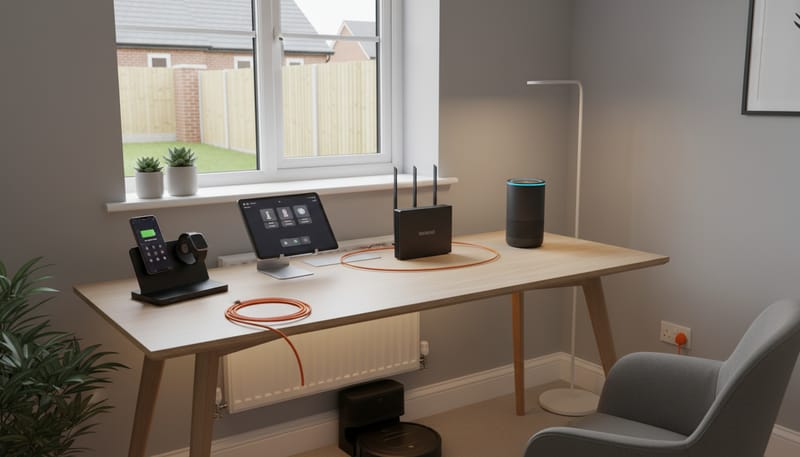
In an age where reliable internet is as essential as running water, setting up broadband and technology in your new build home is one of the first priorities after collecting the keys. The good news is that new build properties in the UK are overwhelmingly better equipped for high-speed internet than older homes, with the vast majority now pre-wired for fibre to the premises (FTTP) connections capable of speeds that would have been unimaginable just a decade ago. However, the process of actually getting connected is not always as seamless as you might expect, and the costs of setting up a comprehensive home technology ecosystem — from broadband and WiFi to smart home devices, TV services, and streaming subscriptions — add up to a meaningful monthly outgoing that deserves careful budgeting.
This guide walks you through every aspect of technology setup in a UK new build home, with real costs, provider comparisons, and practical advice for getting the best value. Whether you are a tech enthusiast who wants a fully connected smart home or simply someone who needs reliable WiFi for working from home and streaming the occasional film, you will find actionable guidance here. For the broader picture of post-purchase costs, see our moving costs checklist and our furniture and furnishing cost guide.
Broadband in New Builds: The Basics
Since 2022, new build properties in England are required to have gigabit-capable broadband infrastructure as part of the building process, following the introduction of regulations under the Product Security and Telecommunications Infrastructure Act. In practice, this means the vast majority of new builds completed in 2023 onwards have full fibre (FTTP) cabling installed during construction, with a termination point (usually a small white box) located inside the property, typically in the hallway or utility cupboard.
FTTP is the gold standard of broadband technology. Unlike older connections that rely on copper telephone lines for the final stretch (FTTC — fibre to the cabinet), FTTP delivers fibre optic cables directly into your home, enabling symmetrical or near-symmetrical upload and download speeds with much lower latency and greater reliability. For new build buyers, this is a genuine advantage over older properties where FTTP availability can be patchy.
Broadband Provider Comparison
The provider landscape for new build broadband in the UK has expanded significantly in recent years. While BT and Sky remain the biggest names, a growing number of full-fibre specialists now serve new build developments. Your choice of provider will depend partly on which network infrastructure your developer has installed and partly on your priorities regarding speed, price, contract length, and customer service.
When comparing providers, look beyond the headline price. Key factors to consider include: the contract length (most require 18 or 24-month commitments), what happens to the price after any introductory discount period, the quality and reputation of customer service (Zen Internet consistently ranks highest in UK customer satisfaction surveys, followed by Sky), whether the router is included or costs extra, and any setup fees. Most FTTP providers charge £0-£60 for standard installation where the infrastructure is already in place (which it should be in a new build), but non-standard installations can cost significantly more.
Which Speed Do You Actually Need?
The temptation with FTTP is to opt for the fastest (and most expensive) package available, but most households do not need gigabit speeds. Here is a practical guide to matching your speed tier to your actual usage patterns.
Getting Connected: Timeline and Process
The process for activating broadband in a new build differs from a standard home move. Because the fibre infrastructure is new, there is a commissioning process that needs to happen before any ISP can activate your connection. Here is the typical timeline.
4-6 weeks before completion: Research available providers for your specific development. Check which network operator has installed the infrastructure (usually Openreach, but possibly CityFibre, Hyperoptic, or others). Place your broadband order.
2-3 weeks before completion: Confirm your installation date with the provider. For FTTP on new builds where the internal cabling is already done, a physical engineer visit may not be needed — the connection can sometimes be activated remotely.
Completion day to day 7: Your router should arrive by post around your move-in date. Plug it in, and if the line has been activated, you should be online within minutes. If an engineer visit is needed, this typically happens within 1-2 weeks of your order.
In practice, new build broadband activation can sometimes hit delays. The most common issue is that the Openreach or alternative network infrastructure has not been fully commissioned by the time residents start moving in, particularly on developments where houses are being occupied in phases while construction continues on later plots. If you experience this, contact your ISP and the developer's customer care team — the developer has a contractual obligation to ensure broadband connectivity.
During any gap in fixed broadband, a 4G/5G mobile hotspot can provide temporary connectivity. Most mobile networks offer pay-as-you-go SIM-only data plans for £10-£25 per month with generous data allowances, or you can use your mobile phone's personal hotspot feature if your contract includes sufficient data.
WiFi Coverage and Mesh Systems
Having ultrafast broadband entering your home means nothing if the WiFi signal does not reach every room. New build houses, with their solid internal walls and multiple floors, can create WiFi dead spots even in relatively compact properties. The basic router supplied by your ISP will usually provide adequate coverage for a 1-2 bedroom flat, but for a 3+ bedroom house — particularly one with three storeys — a WiFi upgrade is often necessary.
Mesh WiFi systems are the most effective solution. Unlike traditional WiFi extenders (which create a separate network and reduce speeds by half), mesh systems create a single seamless network across multiple access points, automatically routing devices to the strongest signal. The technology has matured considerably and prices have dropped, making mesh systems accessible for most budgets.
For most new build homes, a 2-node mesh system (one connected to your router, one placed upstairs or at the far end of the house) provides excellent whole-home coverage. A 3-bed house with two floors typically needs a 2-pack system (£70-£200). A larger 4-5 bed house or one with three floors may benefit from a 3-pack system (£120-£350). Some ISPs now offer their own mesh WiFi add-ons — BT's Complete WiFi costs an extra £5/month and includes mesh discs, while Virgin Media's Intelligent WiFi Pods are available for an additional £8/month.
Smart Home Technology
New builds are an ideal canvas for smart home technology because the electrical and network infrastructure is modern and standardised. While you do not need to invest in any smart home devices to live comfortably, many buyers find that even a modest smart home setup adds genuine convenience and can reduce energy bills. Here is a breakdown of the most popular smart home categories and their costs.
Smart Speakers and Voice Assistants
Amazon Echo and Google Nest devices form the hub of most smart home setups. An Amazon Echo Dot costs £50-£55 (regularly discounted to £22-£35 during Prime Day and Black Friday), while the full-size Echo costs £90-£100. Google Nest Mini costs £49 (often discounted to £25-£35), and the Google Nest Hub with a screen costs £80-£120. Apple HomePod Mini is £99. Most households start with one or two smart speakers and gradually add more. A reasonable budget is £50-£150 for a starter setup.
Smart Lighting
Smart bulbs from Philips Hue, LIFX, or budget alternatives like TP-Link Tapo allow you to control lighting via your phone or voice assistant, set schedules, adjust brightness, and change colour temperature. Philips Hue starter kits (bridge plus 3 bulbs) cost £80-£130, with additional bulbs at £15-£45 each. Budget smart bulbs from TP-Link Tapo start at £8-£12 each. For a 3-bed house, expect to spend £100-£300 to smart-enable the main living areas, or £300-£800 for comprehensive whole-home smart lighting.
Smart Heating (Thermostat)
A smart thermostat is arguably the smartest smart home investment (pun intended) because it can directly reduce your energy bills. By learning your schedule, detecting when you are away, and allowing remote control, smart thermostats typically save 10-15% on heating bills. New builds come with a standard programmer/thermostat, but upgrading to a smart alternative is straightforward. The Nest Learning Thermostat costs £220 (plus £50-£100 for professional installation unless you are competent with basic wiring). The Hive Active Heating system costs £180-£250 including installation. Tado costs £200-£280 for a starter kit. Honeywell Evohome, which offers individual room control, costs £250-£400 for a multi-zone setup.
Smart Doorbell and Security
Video doorbells have become enormously popular with new build buyers. Ring Video Doorbell costs £80-£180 depending on the model, with an optional Ring Protect subscription at £3.49/month for cloud video storage. Google Nest Doorbell costs £180 and includes some free recording. Eufy doorbells (£100-£200) store video locally, avoiding monthly subscription fees. Beyond the doorbell, outdoor security cameras (£80-£200 each), smart locks (£150-£300), and alarm systems (£200-£500 for a basic smart system) are popular additions. Budget £80-£200 for a basic smart doorbell setup, or £300-£800 for a more comprehensive security package.
Smart Plugs and Accessories
Smart plugs (£10-£20 each) allow you to control any appliance via your phone or voice assistant — useful for lamps, fans, heaters, and Christmas lights. A 4-pack of TP-Link Tapo smart plugs costs around £30-£40. Robot vacuum cleaners (£150-£500) are another increasingly popular smart home device, particularly in new builds where the uniform flooring types (typically vinyl/laminate downstairs, carpet upstairs) are ideal for robotic cleaning. Budget £50-£150 for smart plugs and accessories, more if you want a robot vacuum.
TV and Streaming Setup
Television and streaming represent a significant ongoing monthly cost that many new homeowners underestimate when budgeting. The landscape has shifted dramatically in recent years — while some households still have traditional satellite or cable TV, the majority of younger homeowners rely primarily on streaming services supplemented by Freeview for live channels.
For new builds, Freeview is available via the TV aerial (which should be installed as standard). If you want satellite TV (Sky), you will need a dish installed — on a new build, check your developer's guidelines as some restrict dish placement for aesthetic reasons, particularly on front-facing elevations. Sky Glass (their newer TV product) works entirely over broadband and does not need a dish at all, making it well-suited to new builds. Prices start from £14/month for the TV on a 48-month plan, plus separate content packages.
A typical household subscribing to broadband, two streaming services, and the TV licence will spend approximately £65-£85 per month on connectivity and entertainment combined. A more comprehensive setup with Sky, multiple streaming services, and premium broadband can easily reach £120-£150 per month. Be realistic about which services you will actually use regularly — subscription creep is a real phenomenon, and cancelling unused subscriptions can save £50-£100 per year.
Home Office Technology
With hybrid and remote working now standard for millions of UK workers, setting up a functional home office in your new build is a practical necessity rather than a luxury. Many new builds include a dedicated study or home office space, or a third bedroom that can double as an office.
Essential home office technology includes a desk (£100-£400 — see our furniture guide for detailed pricing), an ergonomic office chair (£150-£500 — this is worth investing in for back health), a monitor (£120-£300 for a good 27-inch model), a keyboard and mouse (£30-£100), and a webcam if your laptop's built-in camera is poor quality (£50-£120 for a decent 1080p model). A USB hub or docking station (£30-£80) is useful for connecting multiple peripherals. Total home office technology setup costs range from £300 for a basic configuration to £1,000-£1,500 for a comfortable, productive workspace.
If you work from home regularly, a wired Ethernet connection to your office is strongly recommended for video calls and large file transfers, even if you have fast WiFi. New builds should have Ethernet ports in at least some rooms (check your specification), but if yours does not, powerline adapters (£30-£60 for a pair) can send your broadband signal through the mains wiring with better reliability than WiFi.
Total Monthly Technology Costs
Combining all the ongoing monthly costs of technology and connectivity gives a clear picture of this category's impact on your household budget. Here is a typical breakdown for three different household profiles.
TV Licence: £14/mo
Netflix (ads): £5/mo
Mobile (x1): £15/mo
TV Licence: £14/mo
Netflix + Disney+: £16/mo
Prime: £9/mo
Mobiles (x2): £30/mo
Sky Glass + Sports: £46/mo
Netflix Premium: £18/mo
Disney+ Premium: £11/mo
Mobiles (x2): £50/mo
One-Off Technology Setup Costs
In addition to the ongoing monthly subscriptions, there are various one-off costs for hardware and equipment when setting up technology in your new build. Here is a summary of the typical ranges.
New Build-Specific Technology Considerations
There are several technology considerations unique to new build properties that are worth knowing about before you move in.
Exclusive network agreements: Some developers enter exclusive agreements with network providers (for example, only CityFibre or only Openreach infrastructure). While you always have a choice of retail ISP, the underlying network may limit your options. Check which network infrastructure is installed and which ISPs use it before assuming your preferred provider will be available.
Mobile signal: New build construction, with its modern thermal insulation and triple-glazed windows, can sometimes reduce indoor mobile signal strength. If you notice poor mobile reception in your new home, consider a femtocell booster (some providers offer these free to customers with poor indoor coverage) or WiFi calling (enabled on most modern smartphones and available from all major UK networks at no extra cost).
TV aerial and satellite: New builds should have a TV aerial installed as standard, often a communal aerial serving multiple properties on the development. Some developments have restrictions on satellite dishes being mounted on front-facing walls — if you want Sky TV with a dish, check the development's conditions of sale or management company rules.
Wired infrastructure: Ask your developer what wired data points are included. Some new builds have Cat5e or Cat6 Ethernet cabling to multiple rooms, while others have only the bare minimum. If Ethernet points are available, use them for devices that benefit from a stable, low-latency connection — gaming consoles, desktop computers, smart TVs, and home office workstations.
Money-Saving Tips
Negotiate broadband: Once your initial contract ends, call your provider and negotiate. Retention teams can typically offer 20-30% discounts to keep you. Alternatively, switch providers at renewal time — new customer deals are almost always cheaper than out-of-contract rates.
Buy smart home devices during sales: Amazon Echo, Ring, and Google Nest devices are regularly discounted by 30-50% during Prime Day (July), Black Friday (November), and post-Christmas sales. Patience pays off here.
Audit your subscriptions quarterly: Use a service like Emma, Plum, or simply review your bank statements to identify subscriptions you are no longer using. The average UK household wastes £39 per month on forgotten or underused subscriptions.
Consider broadband-only packages: If you primarily watch streaming services, you may not need a traditional TV package at all. Broadband plus a Freeview-compatible smart TV or a £30 streaming stick gives you access to all the major streaming platforms without paying for channels you never watch.
Final Thoughts
Setting up broadband and technology in your new build home represents a mix of one-off hardware costs (typically £500-£1,500 for a moderate setup) and ongoing monthly subscriptions (£60-£160/month depending on your choices). The good news is that new builds are inherently better equipped for modern connectivity than older properties, with FTTP broadband, modern wiring, and standardised infrastructure giving you a solid foundation to build on.
Our advice is to start with the essentials — reliable broadband, a mesh WiFi system if needed, and your core streaming services — then add smart home technology gradually as your budget allows and as you understand how you actually use your home. There is no rush to automate everything on day one, and the technology landscape continues to improve and become more affordable with each passing year.
For more guidance on setting up your new build home, explore our guides on moving costs, furniture and furnishing costs, landscaping and garden costs, and estate management fees explained.