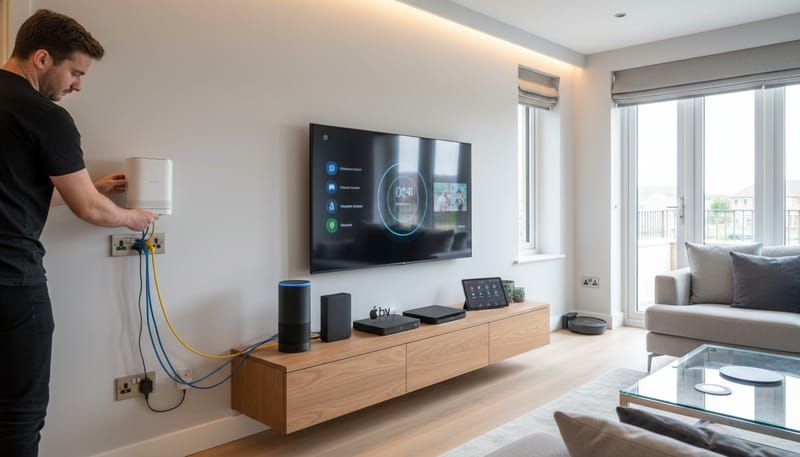
Why New Builds Need Special Attention
When you move into an existing property, the broadband infrastructure is almost always already in place. The phone line is connected, the exchange knows the address, and you simply switch providers or activate an existing line. New build homes are completely different. Your address may not even exist on Openreach’s database yet, and there may be no physical connection between your home and the nearest exchange or cabinet.
Most new build developments in the UK are now required to have broadband infrastructure installed during construction, following changes to Part R of the Building Regulations in 2022. Gigabit-capable connections should be available in all new homes where the installation cost does not exceed £2,000 per dwelling. In practice, the vast majority of new estates will have fibre-optic cabling pre-installed to each property, though the specific network operator may vary between developments.
However, having the infrastructure in place does not mean instant connectivity. You still need to order a service, wait for activation, and sometimes arrange an engineer visit. Starting this process early is the key to avoiding a frustrating connectivity gap on moving day.
Understanding New Build Broadband Infrastructure
Before comparing providers, understand what infrastructure your new build actually has. The connection type determines your speed options and which providers can serve your address.
The most common scenario in post-2023 new builds is FTTP, where fibre-optic cable runs directly from the exchange to an ONT (Optical Network Terminal) inside your home — a small white box usually installed in a utility cupboard. Some developments have exclusive arrangements with specific providers. For example, some Taylor Wimpey and Barratt developments use CityFibre infrastructure, limiting your ISP choice to those operating on that network (Vodafone, Zen Internet, TalkTalk). Check this before exchanging contracts.
Step-by-Step: Getting Connected
Getting broadband connected in a new build follows a different process to a standard house move. Here is a timeline of each step to ensure you are online as quickly as possible.
Broadband Setup Timeline
Choosing a Broadband Provider
The UK broadband market is fiercely competitive, which benefits new build buyers. However, your choice depends on which physical network has been installed on your development.
When choosing a provider, consider the activation process as well as price. BT and Sky both have specialist new build teams that handle unique challenges more smoothly. Smaller providers like Zen Internet offer excellent customer service and are worth the small premium. If your development uses CityFibre rather than Openreach, your choices are limited to providers on that network — typically Vodafone, TalkTalk, and Zen.
How Much Speed Do You Actually Need?
It is tempting to order gigabit speeds, but most households do not need the fastest package. Understanding your actual requirements can save a significant amount each month.
Light Usage (36–80 Mbps)
1–2 people | £25–£30/month
- ✓ Web browsing and email
- ✓ HD streaming on 1–2 devices
- ✓ Video calls for home working
Standard Usage (150–300 Mbps)
Families of 3–4 | £30–£38/month
- ✓ 4K streaming on multiple devices
- ✓ Online gaming
- ✓ Multiple home workers
Heavy Usage (500–900 Mbps)
Large households | £38–£55/month
- ✓ Simultaneous 4K/8K streaming
- ✓ Large file uploads/downloads
- ✓ Competitive online gaming
Gigabit (900+ Mbps)
Power users | £45–£60/month
- ✓ Professional video/content creation
- ✓ Running a home server
- ✓ 10+ simultaneous heavy users
Optimising Wi-Fi Coverage
Even with a gigabit connection, your experience will disappoint if Wi-Fi coverage is poor. New builds present unique wireless challenges: plasterboard walls with metal studwork, underfloor heating foil, and foil-backed insulation can all interfere with signals.
✓ Do This
- Place your router centrally, ideally on the first floor
- Invest in a mesh Wi-Fi system for homes over 120 sq m
- Use 5 GHz for speed-critical devices, 2.4 GHz for smart home
- Run Ethernet cables to fixed devices like TVs and consoles
✗ Avoid This
- Leaving the router in the cupboard under the stairs
- Placing the router behind a TV or inside a media unit
- Using cheap extenders that halve your speed
- Relying on powerline adapters (new CUs can block signals)
For larger new builds, a mesh Wi-Fi system is essential. The leading options include the Google Nest WiFi Pro (£180–£300), TP-Link Deco XE75 (£200–£350), and BT Whole Home (£150–£250). A three-unit system provides excellent coverage for a typical three or four-bedroom home, creating a single seamless network throughout.
Setting Up Television and Media
Your new home will have a TV aerial point in the living room, and many developments have a communal aerial system or satellite dish provision. However, the shift towards streaming means many new build buyers are rethinking their entire TV setup.
The growing trend is to go streaming only — ditching traditional TV in favour of Netflix, Disney+, Amazon Prime Video, and similar services via a smart TV or streaming stick. With broadband of 50 Mbps or more, this works very well and often saves money. An Amazon Fire TV Stick 4K Max (£45) or Apple TV 4K (£149) combined with a smart speaker provides an excellent experience. If you want a satellite dish for Sky or Freesat, check with your developer first — many estates restrict dish placement to rear elevations, and some leasehold properties prohibit them entirely.
Smart Home Technology for New Builds
New build homes are ideally suited to smart home technology thanks to modern electrical systems, good insulation, and robust digital infrastructure. Whether you want to start small or go all-in with full automation, here is a guide to building your smart home ecosystem.
Choosing Your Ecosystem
The first decision is which ecosystem to build around. Amazon Alexa, Google Home, and Apple HomeKit each have strengths. While the new Matter standard enables some cross-ecosystem interoperability, sticking to one gives the smoothest experience.
Priority Device Checklist
- 1. Smart thermostat (Hive, Nest, tado°) — £150–£220 — Save up to £150/year on heating
- 2. Video doorbell (Ring, Nest) — £80–£180 — See and speak to visitors remotely
- 3. Smart speaker — £25–£100 — Voice control hub for your smart home
- 4. Smart lighting (Philips Hue, LIFX) — £40–£200 — Mood lighting and schedules
- 5. Smart plugs — £10–£15 each — Remote appliance control
- 6. Security cameras (Ring, Eufy, Arlo) — £80–£250 — Remote monitoring
- 7. Robot vacuum (iRobot, Roborock) — £200–£600 — Automated floor cleaning
Smart Heating and Energy Management
New builds come with efficient heating systems, but smart controls can further reduce bills. Most homes include a basic programmer and thermostat, but upgrading to a smart thermostat is one of the best investments you can make. The three most popular UK brands are Hive (British Gas), Google Nest, and tado°.
Hive Active Heating
- ✓ Works with Alexa & Google
- ✓ Professional installation included
- ✓ Multizone with smart TRVs
Google Nest Learning
- ✓ Learns your schedule automatically
- ✓ Energy history and reports
- ✓ Works with Google Home
tado° Smart Thermostat
- ✓ Open window detection
- ✓ Air comfort monitoring
- ✓ Self-install, easy setup
Many new builds use combi boilers with OpenTherm protocol, which smart thermostats like tado° and Nest can use for more efficient modulation. Check which boiler your home has and whether your chosen thermostat supports it. Beyond heating, consider a smart energy monitor — devices like the Hildebrand Glow (£35) connect to your smart meter and provide real-time usage data, helping you keep running costs under control.
Home Office Setup
With hybrid working now the norm, setting up a productive home office is a priority for many new build buyers. Many modern designs include a dedicated study, but even without one, you can create a comfortable workspace. From a tech perspective, a wired Ethernet connection is strongly recommended over Wi-Fi for video calls — it provides a more stable connection with lower latency.
- ✓ Wired Ethernet or strong Wi-Fi (minimum 50 Mbps)
- ✓ USB-C docking station (£60–£150)
- ✓ External monitor, 24–27 inch (£120–£300)
- ✓ Quality webcam (£50–£100)
- ✓ Noise-cancelling headset (£60–£200)
- ✓ UPS for power cut protection (£60–£120)
EV Charging and Smart Energy
Since June 2022, all new build homes in England with associated parking must have an electric vehicle charge point installed. This is a significant advantage over older homes, where retrofitting typically costs £800–£1,200. Your charger will usually be a 7 kW untethered unit — you supply your own cable. Modern smart chargers from brands like Ohme, Hypervolt, and Pod Point connect to Wi-Fi, enabling scheduled off-peak charging, usage monitoring, and solar panel integration.
Common Problems and Solutions
Setting up tech in a new build is not always straightforward. Here are the most common problems and how to resolve them.
Future-Proofing Your Tech
Technology moves fast, but the right infrastructure choices now will keep your home relevant for decades. The most important step is good physical cabling — Ethernet cables and conduit (empty tubing for future cable runs) are easy to install during construction but expensive to add later.
- ✓ Install Cat 6a Ethernet cabling to key rooms during construction
- ✓ Request conduit runs between floors for future cables
- ✓ Choose FTTP broadband — the fibre will support speeds for decades
- ✓ Buy Matter-compatible smart home devices where possible
- ✓ Install extra double sockets near media and desk areas
- ✓ Keep all smart home credentials in a secure document
The Complete Tech Budget
Here is a realistic budget breakdown for setting up all the tech and connectivity in your new build home, from essential to aspirational.
A basic setup can be achieved for well under £700, while a comprehensive smart home with premium entertainment and security runs into the thousands. The beauty of new build homes is that the infrastructure is already in place to support whatever level of technology you choose to adopt, whether now or in years to come. Start with broadband and Wi-Fi, then build from there at a pace that suits your budget and enthusiasm. Your new home is ready and waiting for you to make the most of it.