What Is a New Build Home Demonstration?
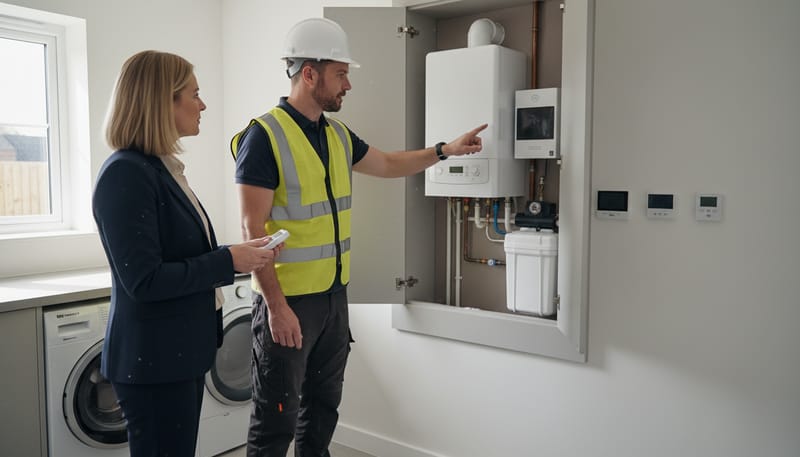
A home demonstration — sometimes called a pre-completion walkthrough, handover demonstration, or home tour — is one of the most important stages of the new build buying process. It is a guided tour of your finished property conducted by the site manager or customer care representative, typically taking place one to two weeks before your legal completion date.
During this appointment, the site manager walks you through every room in the property, explaining how each system, fixture, and fitting works. They will demonstrate the heating controls, show you how to operate windows and doors, explain the ventilation system, and point out the location of key utilities such as the stopcock, consumer unit, and gas meter. It is essentially your personalised training session for living in your new home.
For most buyers, the home demonstration is the first time you will see the property fully finished. Up until this point, you may have visited a show home or viewed the property at various stages of construction, but the demonstration gives you the chance to inspect the completed home you have actually purchased. This is distinct from the show home, which is a furnished display property designed to showcase the developer’s range.
The demonstration typically lasts between 60 and 90 minutes, depending on the size of the property and how many questions you ask. Some developers, particularly those with strong customer service reputations such as Barratt Homes, David Wilson Homes, and Taylor Wimpey, schedule generous time slots and encourage buyers to take notes, photographs, and videos throughout.
Why the Home Demonstration Matters
The home demonstration serves several crucial purposes that protect you as a buyer:
- Understanding your home: Modern new builds include advanced systems such as heat pumps, mechanical ventilation with heat recovery (MVHR), smart thermostats, and integrated alarm systems. Without proper guidance, it is easy to misuse these systems, leading to higher energy bills or voided warranties.
- Identifying issues early: While the demonstration is not the same as a professional snagging inspection, it gives you the opportunity to spot obvious defects, unfinished work, or items that do not match your specification choices.
- Documenting the handover: Meter readings, serial numbers, appliance details, and warranty registration information are all recorded during this visit, forming an essential record for your first weeks in the property.
- Building a relationship: The site manager or customer care team you meet at the demonstration will typically be your point of contact for any aftercare issues during the first two years of the NHBC warranty period.
- Consumer code compliance: Under the Consumer Code for Home Builders, developers are required to provide a demonstration or handover process that explains how the home’s systems work. This is not optional — it is a regulated requirement.
How the Home Demonstration Differs from Snagging
One of the most common misconceptions among new build buyers is confusing the home demonstration with a snagging inspection. While both involve examining your new property, they serve fundamentally different purposes and should be treated as separate activities.
Key Differences at a Glance
| Aspect | Home Demonstration | Professional Snagging Inspection |
|---|---|---|
| Purpose | Learning how your home works | Identifying defects and unfinished work |
| Led by | Site manager or customer care | Independent snagging inspector |
| Typical duration | 60–90 minutes | 2–4 hours |
| When it happens | 1–2 weeks before completion | Before or within days of completion |
| Cost | Free (included by developer) | £300–£600 for independent inspector |
| Focus | Systems operation, manuals, meter readings | Cosmetic defects, structural issues, finish quality |
| Who attends | Buyer + site manager | Buyer + independent inspector (or inspector alone) |
| Report produced | Handover pack with manuals and documentation | Detailed defects list with photographs |
It is strongly recommended that you arrange both a home demonstration with the developer and a separate independent snagging inspection. The demonstration teaches you how everything works; the snagging inspection identifies what needs fixing. Some buyers attempt to combine both into a single visit, but this rarely works well — you cannot simultaneously learn how your heating system operates and carefully inspect every wall, skirting board, and window seal.
Many developers, including Bellway, Persimmon Homes, and Redrow, are supportive of independent snagging inspections and will schedule access for your chosen inspector either before or shortly after completion. Discuss the timing with your sales advisor early in the process to ensure both activities are properly accommodated.
Room-by-Room Walkthrough: What to Check
The site manager will typically guide you through the property systematically, starting at the front door and working through each room. Below is a comprehensive room-by-room guide to what you should expect to see demonstrated and what to pay attention to during each stage of the walkthrough.
Entrance Hall and General
The demonstration usually begins at the front door, where the site manager will explain the locking mechanism, provide all keys (including window keys, meter cupboard keys, and any communal area keys), and show you the location of the consumer unit (fuse box). For properties with smart home systems, this is where initial pairing and connectivity setup will be explained.
Kitchen
The kitchen typically requires the longest demonstration time, as it contains the most appliances and systems. The site manager should demonstrate every integrated appliance, show you the water supply isolation valves under the sink, and explain the extractor fan operation. If your home includes upgraded kitchen specifications, ensure these match what was agreed in your options choices.
Living Areas
In living rooms and dining areas, the focus is typically on the heating controls (thermostat location and operation), window operation, ventilation trickle vents, and any feature elements such as media walls, built-in speakers, or underfloor heating zones. Check that all power sockets and light switches function correctly.
Bedrooms
For each bedroom, the site manager should demonstrate window locks (including restrictors on upper floors for child safety), show the location of smoke and heat detectors, and explain any built-in wardrobe mechanisms. Ensure all doors close properly and that handles, hinges, and latches function smoothly.
Bathrooms and En-Suites
Bathrooms are a critical area. The site manager should demonstrate the shower controls, explain the difference between pressurised and gravity-fed systems, show you how to access the bath panel for plumbing access, and explain the extractor fan operation (many are humidity-controlled and run automatically). Check water pressure in all taps and the shower.
Utility Room and Storage
If your property includes a utility room, the site manager should show you the plumbing connections for washing machine and tumble dryer, the location of the boiler (or heat pump), and how to read error codes. This is often where the main stopcock is located.
Exterior and Garden
The external demonstration covers the garden boundaries, drainage gullies, outside taps, external power sockets, the meter box, and any allocated parking spaces. Boundary responsibility should be clearly explained, including which fences are yours and which belong to neighbours.
Complete Demonstration Checklist
Use the following comprehensive checklist during your home demonstration to ensure nothing is missed:
| Area | Item to Check | Demonstrated? | Notes |
|---|---|---|---|
| Front door | All keys provided and locking mechanism explained | □ | |
| Front door | Doorbell and intercom operation | □ | |
| Hallway | Consumer unit location and trip switch operation | □ | |
| Hallway | Smoke, heat, and CO detector locations and test procedure | □ | |
| Hallway | Thermostat location and programming | □ | |
| Kitchen | All integrated appliances demonstrated (oven, hob, dishwasher, fridge) | □ | |
| Kitchen | Extractor fan operation and filter cleaning | □ | |
| Kitchen | Water isolation valves under sink | □ | |
| Kitchen | Waste disposal unit (if fitted) | □ | |
| Boiler area | Boiler or heat pump operation and error codes | □ | |
| Boiler area | Main stopcock location and operation | □ | |
| Boiler area | Boiler pressure gauge and how to repressurise | □ | |
| Utility | Washing machine and dryer connections | □ | |
| All rooms | Window operation (open, close, lock, trickle vents) | □ | |
| All rooms | Light switches and dimmer operation | □ | |
| All rooms | Power socket testing | □ | |
| Bathrooms | Shower controls and water temperature adjustment | □ | |
| Bathrooms | Extractor fan operation (timer or humidity sensor) | □ | |
| Bathrooms | Toilet flush mechanisms (dual flush) | □ | |
| Bedrooms | Window restrictors on upper floors | □ | |
| Bedrooms | Built-in wardrobe mechanisms (if applicable) | □ | |
| External | Meter box location and initial readings | □ | |
| External | Outside tap and external power sockets | □ | |
| External | Drainage gullies and manhole covers | □ | |
| External | Boundary responsibilities explained | □ | |
| External | Bin collection day and storage area | □ | |
| Garage | Garage door operation and keys or fobs | □ | |
| General | NHBC warranty documentation provided | □ | |
| General | All appliance manuals and warranties provided | □ | |
| General | Emergency contact numbers for aftercare | □ |
Essential Questions to Ask Your Site Manager
The home demonstration is your chance to ask every question you can think of. The site manager lives and breathes these properties — they have overseen the construction of your home from foundation to finish and know every detail. Do not be afraid to ask anything, no matter how small it seems. Here are the most important questions to cover:
Systems and Maintenance Questions
- How do I repressurise the boiler? — This is one of the most common issues new homeowners face. The site manager should show you the filling loop and explain the correct pressure range (typically 1.0–1.5 bar).
- What is the recommended thermostat schedule? — Ask for guidance on efficient heating schedules for your specific system, whether that is a gas boiler, heat pump, or underfloor heating. Incorrect settings can significantly increase energy bills.
- How does the ventilation system work? — Modern new builds are airtight by design, so mechanical ventilation is essential. Ask whether your home has MVHR, intermittent extract fans, or continuous mechanical extract, and how to maintain each type.
- When should the boiler or heat pump be first serviced? — Most manufacturers recommend an annual service. Ask whether the first service is included by the developer and when you should book it.
- What paint colours and brands have been used? — This is essential for touch-ups. Ask for the paint codes for every room, especially if you plan to maintain the same colour scheme initially.
- Where are the isolation valves for each appliance? — In an emergency, you need to know how to isolate water to the toilet, basin, washing machine, dishwasher, and boiler independently.
Warranty and Aftercare Questions
- What is covered by the developer’s two-year warranty vs the NHBC 10-year warranty? — Understanding the distinction is crucial. The developer covers all defects for the first two years; after that, the NHBC Buildmark warranty covers structural defects for a further eight years.
- How do I report defects and what is the response time? — Ask for the aftercare team’s contact details, the preferred method of reporting (online portal, phone, email), and expected response times for urgent vs non-urgent issues.
- Is there a settling-in visit scheduled? — Many developers, including Barratt Homes, David Wilson Homes, and Bellway, schedule a courtesy visit within the first few weeks to check on any issues.
- What maintenance am I responsible for from day one? — Some items, such as silicone sealant around baths and showers, are considered maintenance items rather than defects. Clarify what falls to you and what the developer will address.
Practical Living Questions
- Where are the nearest utility meters and how do I submit readings?
- What broadband providers service this development?
- Are there any ongoing construction works on the development and when will they complete?
- Which waste collection service covers this address and what day are bins collected?
- Are there any restrictions in the property’s transfer deed (e.g., no commercial vehicles, fence height limits, satellite dish restrictions)?
- Where are the nearest schools, GP surgeries, and shops? — The sales team should be able to provide a local area guide, though you may have already researched this using a location checklist.
Documents and Materials to Collect
One of the primary purposes of the home demonstration is to collect a comprehensive handover pack. This pack should contain everything you need to maintain, insure, and manage your new home. The complete paperwork checklist covers the full buying process, but here we focus specifically on the items you should receive at demonstration or completion.
Your Handover Pack Should Include
| Document or Item | Why It Matters | Received? |
|---|---|---|
| NHBC Buildmark warranty certificate | 10-year structural warranty — needed for insurance and resale | □ |
| Boiler or heat pump manual and warranty card | Manufacturer warranty registration (usually 5–10 years) | □ |
| Appliance manuals (oven, hob, extractor, dishwasher) | Operating instructions and warranty registration | □ |
| Window and door manufacturer details | Needed for replacement parts, handles, and locks | □ |
| Electrical installation certificate | Confirms safe electrical installation — needed for insurance | □ |
| Gas safety certificate | Legal requirement confirming safe gas installation | □ |
| Energy Performance Certificate (EPC) | Required for mortgage, resale, and energy efficiency reference | □ |
| Paint colours and codes | For touch-ups and redecorating | □ |
| Tile and flooring details | For replacements if damage occurs | □ |
| Site plan showing your plot boundaries | Clarifies boundary ownership and responsibilities | □ |
| Meter serial numbers and initial readings | Essential for setting up energy accounts | □ |
| Emergency contact card | Developer aftercare and emergency out-of-hours numbers | □ |
| Home user guide | Developer’s guide to living in your new home | □ |
| All keys and fobs | Front door, back door, windows, meter box, garage, communal areas | □ |
Meter Readings: Why They Matter
Taking accurate meter readings during the home demonstration is critical. These readings form the baseline for your utility accounts and ensure you are not charged for any energy used during the construction phase. Record the following:
- Electricity meter: Note the meter serial number (MPAN) and the reading. If the property has a smart meter, the site manager should demonstrate how to read it and set up the in-home display.
- Gas meter: Note the meter serial number (MPRN) and the reading. Some new builds now use electric heating only, in which case there may be no gas meter.
- Water meter: If metered, record the meter number and reading. Water meters are typically located in a small pit near the property boundary.
Photograph every meter reading with your phone, ensuring the serial number and reading are clearly visible. This provides timestamped evidence of the readings on the day of your demonstration.
What to Document During the Demonstration
Beyond collecting the handover pack, there are several things you should actively document during the demonstration to protect yourself and create a useful reference for the future.
Take Photographs and Videos
Use your smartphone to create a thorough record of the demonstration. This serves multiple purposes: it helps you remember how systems work, provides evidence of the property’s condition at handover, and can be referred back to when you need to operate something for the first time months later.
Key items to photograph or video:
- Every meter reading (electricity, gas, water) with serial numbers visible
- The consumer unit (fuse box) with all circuit labels visible
- The boiler pressure gauge
- The main stopcock location
- Thermostat programming demonstration
- Any items the site manager flags as needing attention or follow-up
- The exterior of the property from all angles
- The condition of all rooms (walls, floors, ceilings, windows)
- Any areas of concern you spot during the walkthrough
Note Any Issues or Concerns
While the demonstration is not a formal snagging inspection, you should still make a written note of anything that does not look right. Common issues to watch for include:
- Paint scuffs, marks, or uneven coverage on walls and woodwork
- Scratches on windows, kitchen worktops, or sanitaryware
- Doors that stick, do not close properly, or have misaligned handles
- Gaps in sealant around baths, showers, and sinks
- Uneven tiling or grouting in bathrooms and kitchens
- Marks or damage on flooring (if developer-fitted)
Present these observations to the site manager during the demonstration. Most will make a note and arrange for the issues to be addressed before or shortly after completion. If you have also commissioned a separate snagging inspection, these observations will complement the professional inspector’s more detailed findings.
Infographic: Home Demonstration Timeline
Timeline is approximate and varies by developer. Arrange snagging inspection early to avoid delays.
Tips for a Successful Home Demonstration
Making the most of your home demonstration requires a little preparation. Here are practical tips from experienced new build buyers and industry professionals to help you get the most from this important appointment.
Before the Demonstration
- Print or download a checklist: Use the room-by-room checklist above so you can tick items off as the site manager demonstrates them. Having a physical list prevents you from forgetting key areas in the excitement of seeing your finished home.
- Review your specification choices: Before the demonstration, revisit the customisation options you selected (kitchen units, worktop colour, bathroom tiles, flooring). This ensures you can verify that everything has been installed as agreed.
- Charge your phone: You will be taking extensive photographs and videos. A fully charged phone with plenty of storage space is essential.
- Bring a notebook and pen: While photos and videos are invaluable, written notes are often easier to reference quickly, especially for serial numbers, paint codes, and contact details.
- Bring a partner or friend: Two pairs of eyes are better than one. While you focus on the demonstration, your companion can take photos, make notes, and spot issues you might miss.
During the Demonstration
- Do not rush: The site manager may try to keep the demonstration to a tight schedule, especially on busy completion weeks. Politely take your time and ask for explanations to be repeated if needed.
- Ask for written confirmations: If the site manager verbally agrees to fix something, ask for it to be noted in writing. This protects you if the issue is not addressed before completion.
- Test everything yourself: Do not just watch the site manager demonstrate — operate the taps, flush the toilets, open the windows, and test the shower yourself. This is your chance to experience the property first-hand.
- Check your options and extras: If you paid for developer upgrades such as upgraded flooring, additional sockets, or kitchen upgrades, verify they are all present and correctly installed.
- Note the state of the development: Is the road adopted? Are street lights working? Are communal areas finished? If the development is still under construction, ask about the expected completion timeline for common areas.
After the Demonstration
- Organise your documentation immediately: Create a dedicated folder (physical or digital) for all handover documents, warranty cards, and manuals. You will need these throughout your ownership of the property.
- Register appliance warranties: Most appliance warranties must be registered within 30 days of purchase. The handover pack should include registration cards or details for online registration.
- Set up utility accounts: Use the meter readings from your demonstration to open accounts with your chosen energy and water suppliers. This should be done before or on completion day to ensure seamless billing.
- Book your boiler or heat pump service: Schedule the first annual service 12 months from completion. Set a calendar reminder so you do not forget — failing to service the boiler can invalidate the manufacturer warranty.
Frequently Asked Questions
Can I refuse to complete if I am unhappy with the demonstration?
In theory, you can delay completion if there are significant issues discovered during the demonstration. However, this can have financial and legal implications, particularly if you have a fixed completion date in your exchange contract. If you identify serious defects, discuss them with your conveyancing solicitor before taking any action. Minor cosmetic issues are typically addressed through the developer’s aftercare process after completion rather than delaying the legal transfer.
What happens if the site manager cannot attend the demonstration?
If the site manager is unavailable, the developer should arrange for another qualified member of the construction or customer care team to conduct the demonstration. You are entitled to a proper walkthrough regardless of staffing issues. If the developer attempts to cancel without rescheduling, remind them of their obligation under the Consumer Code for Home Builders to provide a pre-completion demonstration.
Should I hire a professional snagging inspector as well as attending the demonstration?
Yes, we strongly recommend it. The home demonstration is about learning how your home works, not about identifying defects in detail. A professional snagging inspector will examine the property far more thoroughly than you can during a demonstration, checking items such as roof spaces, drainage, floor levels, and finish quality across every surface. The typical cost of £300–£600 is well worth the investment for the peace of mind it provides. See our complete snagging guide for more details.
How soon after the demonstration will I get my keys?
The demonstration typically takes place one to two weeks before your legal completion date. You will receive your keys on completion day, once your solicitor has confirmed that the purchase funds have been transferred and all legal requirements are satisfied. The exact timing depends on your conveyancing process and whether you are in a chain.
What if I spot something wrong after moving in that was not covered in the demonstration?
This is entirely normal and covered by your developer’s aftercare warranty. Most developers have a dedicated aftercare team that handles post-completion issues. Contact them as soon as you notice a problem. For the first two years, the developer is responsible for rectifying any defects. After that, the NHBC Buildmark warranty covers structural defects for a further eight years. Keep records of all reported issues and the developer’s responses.
Making the Most of Your Home Demonstration
Your new build home demonstration is a valuable opportunity that deserves proper preparation and attention. By approaching it with a comprehensive checklist, a list of prepared questions, and the right documentation tools, you can ensure that nothing is missed during this critical handover stage.
Remember that the demonstration and the snagging inspection serve different but complementary purposes. Attend your demonstration with an open mind and a willingness to learn, then follow up with a professional snagging inspection to catch any defects that need addressing. Together, these two activities set you up for a smooth and confident move into your new home.
For a complete overview of the buying journey, explore our guide to buying a new build home. If you are still in the early stages of your search, our guides on choosing a developer and what to check before reserving will help you make confident decisions throughout the process.